前言
執行 WebGL 時都會有 Unity Logo & Loading。目前此專案修改 Unity Logo 的部分。
需要更詳細的內容可以參考官方文件(Unity Document)。
會比較建議使用 Responsive WebGL Template,省去自己測試修改的麻煩,不過還是需要改 Logo、Icon 的部分。
Setting Up Your Template
Import Unitypackage
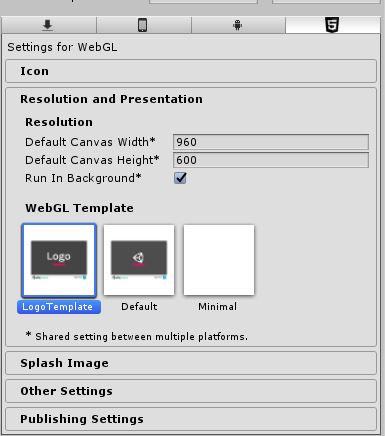
Set up Unity Player Setting Edit -> Project Settings -> Player, On the WebGL tab -> Resolution and Presentation -> Selcet LogoTemplates
Change Your Logo
Logo 規格建議不要太大張。
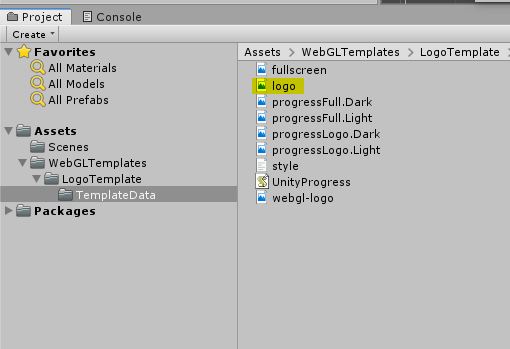
Path: root/Assets/WebGLTemplates/LogoTemplate/logo.png